Manage & Draft Professional Emails in Minutes
Draft emails, manage inboxes, and respond confidently from one clean interface—so conversations stay organized and nothing important gets missed
- Draft emails in seconds
- Manage all inboxes in one view
- Works with Gmail and Outlook
Works Where You Already Are
Who Is This Built For?
Write Smarter. Organize Better. Respond Faster.
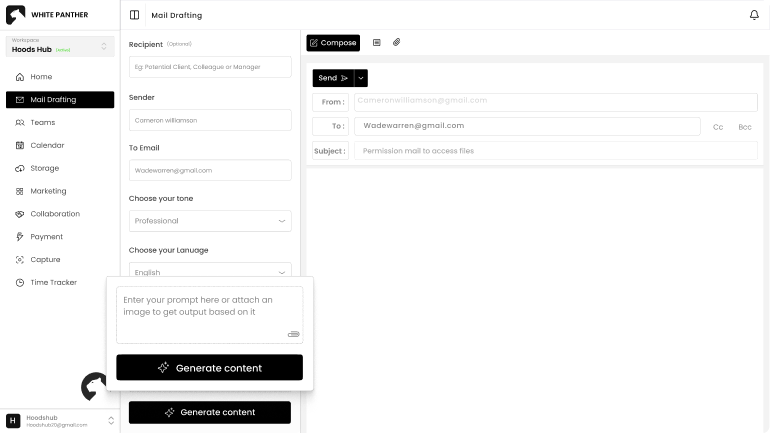
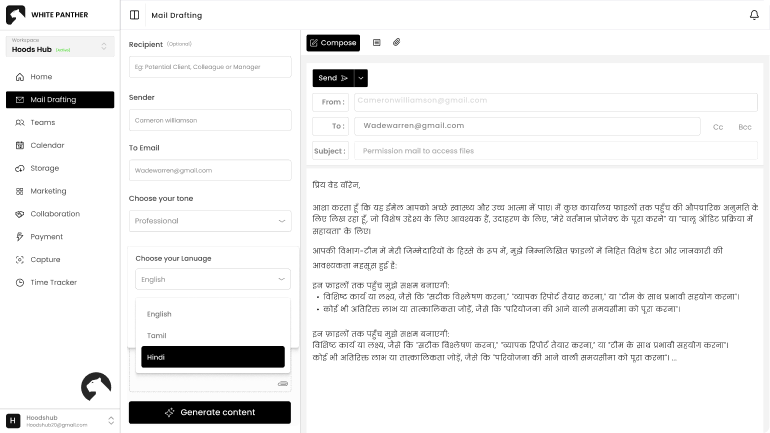
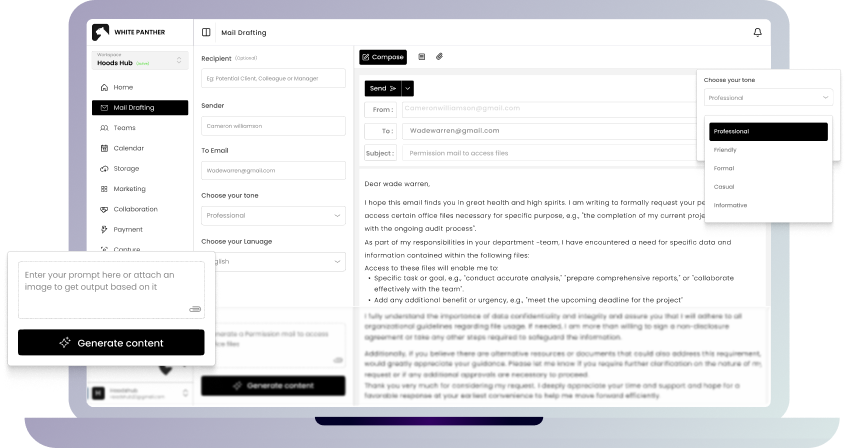
Turn a short prompt into a structured, professional email in seconds. Just describe what you want to say, who it’s for, and how it should sound. WhitePanther generates a ready-to-send draft that feels natural, clear, and complete.
- Prompt-based auto drafting
- Smart contextual suggestions
- Instant structured replies
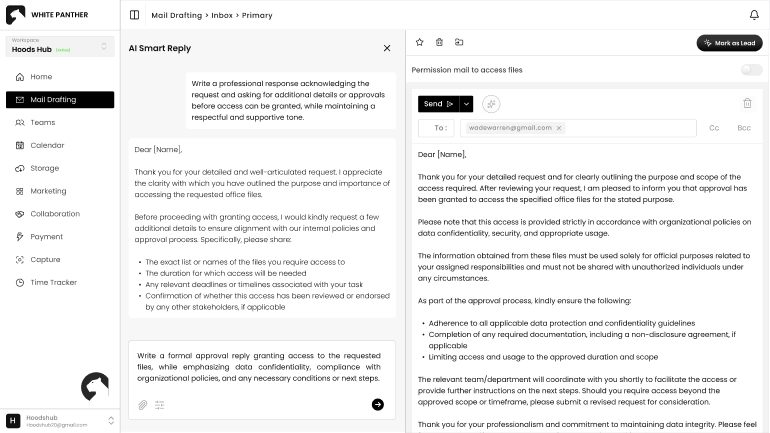
Reply faster without sounding rushed. Get suggested responses based on the email context and improve subject lines so your message is clear from the start.
- AI-powered reply suggestions
- Built in AI assistant
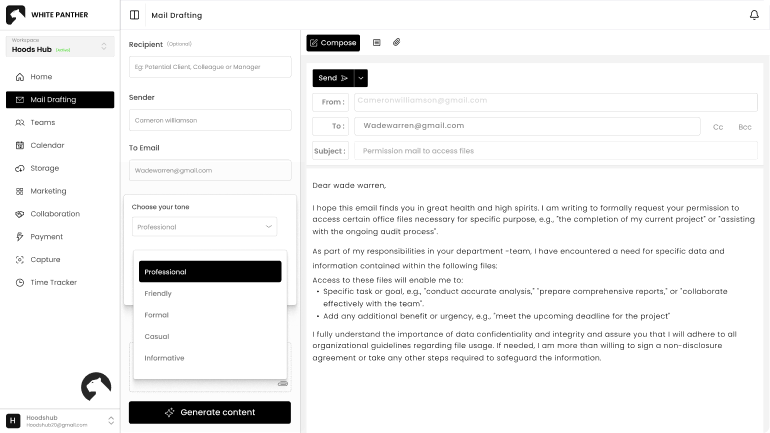
Choose how you want to sound before you hit send. Whether it’s formal, friendly, assertive, or persuasive, WhitePanther adjusts your message to match the situation and the person receiving it.
- Multiple tone options
- Email type selection
Communicate confidently across regions and teams. Draft emails in different languages while maintaining clarity, professionalism, and consistent messaging across global conversations.
- Multi-language drafting
- Consistent tone control
- Localized communication
Your Inbox Just Got an Upgrade
How to set up your email in WhitePanther?
Connect Google or Outlook
Log in securely using your Google or Outlook account or create an account with a password.
Draft or reply using tone & language controls
Add your name, choose your default language, and select the tone you want for email drafts.
Organize and manage emails from one view
Begin drafting, organizing, and managing your emails from a single, streamlined workspace.
Why Use Our Email Workflow Management Software?
Keep Email and Work Moving Together
How Different Industries Benefit from WhitePanther’s Mail Management Tool?
WhitePanther X Email Management
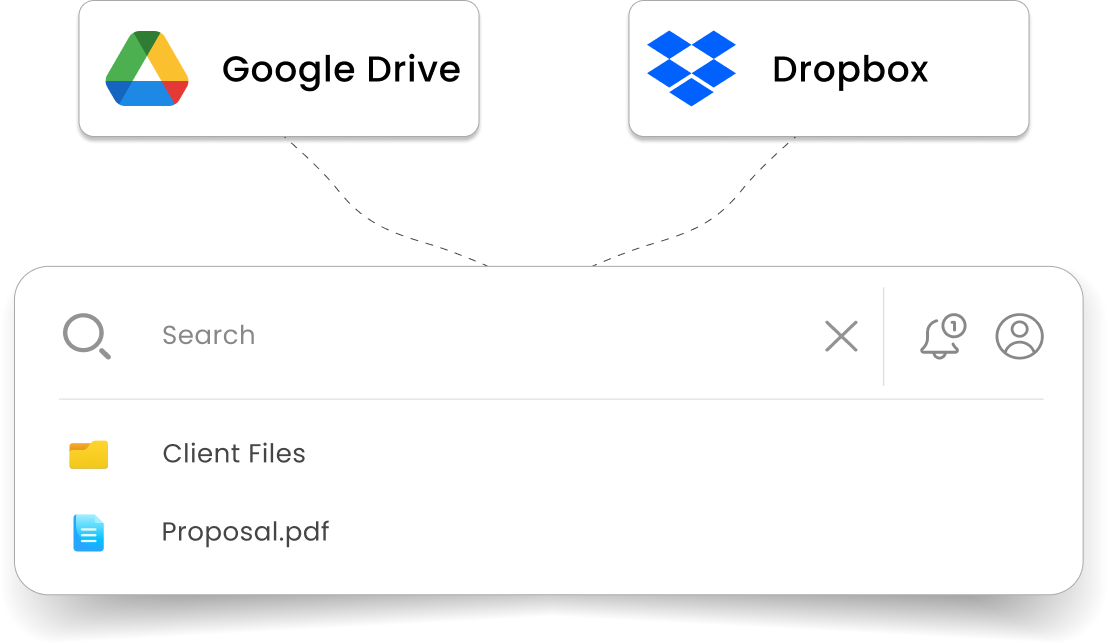
Direct Cloud Storage Integration
Inbuilt Document Suite (WEPP)
Unified workspace for communication
Frequently asked questions
WhitePanther enhances your existing email setup by helping you draft, organize, and manage messages more efficiently
Yes, WhitePanther works seamlessly with both Gmail and Outlook. We connect Gmail and Outlook to one platform. You can draft and manage emails using our AI tools without leaving your WhitePanther dashboard. Everything stays synced with your existing account, so you don’t need to switch platforms.
Yes. You can switch between connected inboxes using our floating navigation module, and categorize or prioritize emails across different accounts, all from the same unified view.
That’s exactly what WhitePanther is built for. You can sort emails by industry-specific tags like IT, Finance, Marketing, and more, and even separate conversations by project or client inside the same dashboard. It’s makes you more productive and doesn’t give you categorization based on generic tags like offers, updates, etc.
Absolutely. We take data privacy seriously. WhitePanther is GDPR-compliant and ISO certified. So, everything from your inbox, email content to personal informations stays safe within our platform.
Both. Whether you're a freelancer managing client emails or a team member coordinating multiple conversations. And the best part is, you only pay for teams, and not every single user. Our plans are structured to add your users based on your organization size.
Yes. Admins can manage access to connected inboxes and drafting controls to ensure consistency and prevent misuse.