Redefining Teams Chats by Connecting Conversations to Work
No scattered apps or lost messages. WhitePanther gives your team one shared space for communication, productivity, and collaboration, so decisions move fast, work stays visible, and teams execute without constant follow-ups.
Built for Startup founders, project managers, operations teams, and remote-first companies who want smoother workflows and tighter collaboration. WhitePanther brings chat, calls, files, and team workflows into one reload-free dashboard so everyone stays aligned.
Team Collaboration Without the Noise
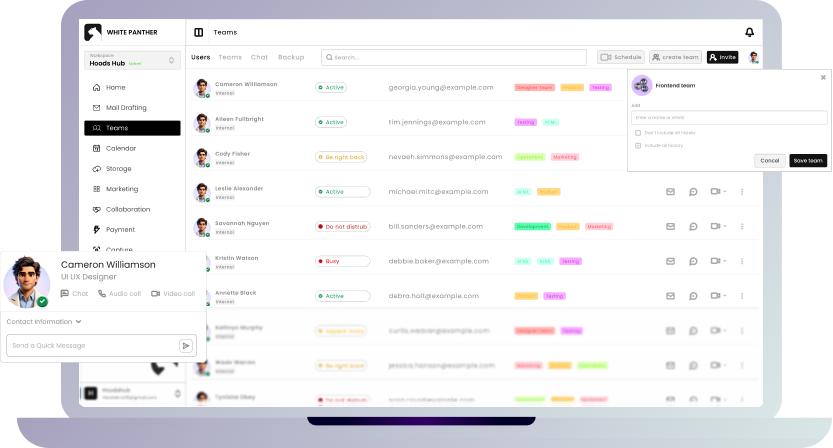
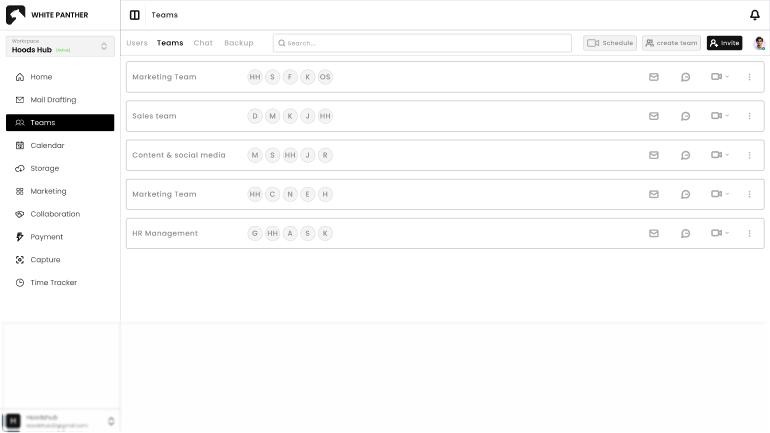
Keep track of every team member in one place. View their status, email, and assigned team instantly, and take quick actions like sending a message, starting a call, or sharing your screen.
View users with status and team name
Send email, message, or start chat/call
Screen share with individual users
Remove users when needed
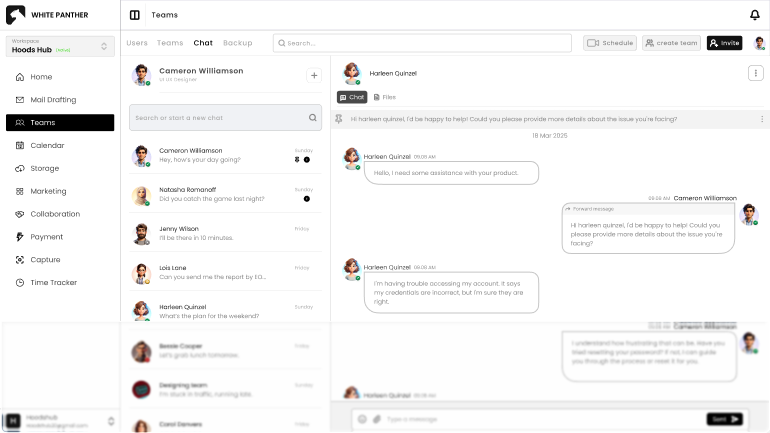
Keep conversations easy to follow and faster to act on. Search chats, shared files, tasks, and users directly inside the Team workspace, so nothing gets buried and context stays intact.
One-to-one and group conversation
Threaded and pinned messages for focus
File sharing with sender and timestamp context
Quick search from one bar
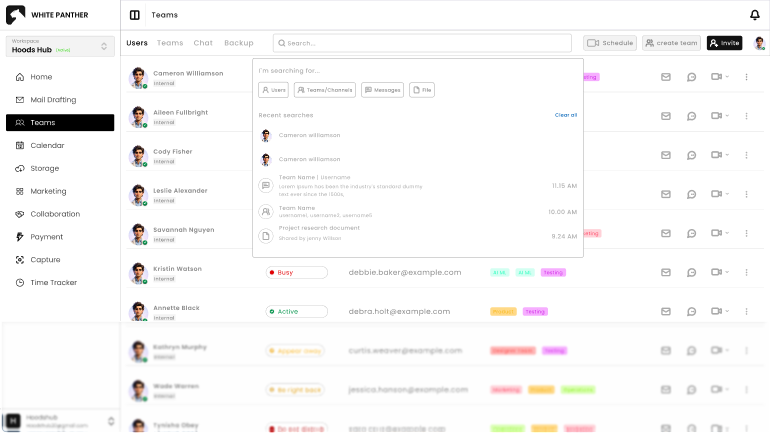
No more scrolling endlessly for that one file or chat. The universal search bar lets you find users, messages, files, or even past conversations in seconds.
Search by user, team, file, or channel
Saved search history for faster reuse
Bookmark important results
Easy access to past conversations
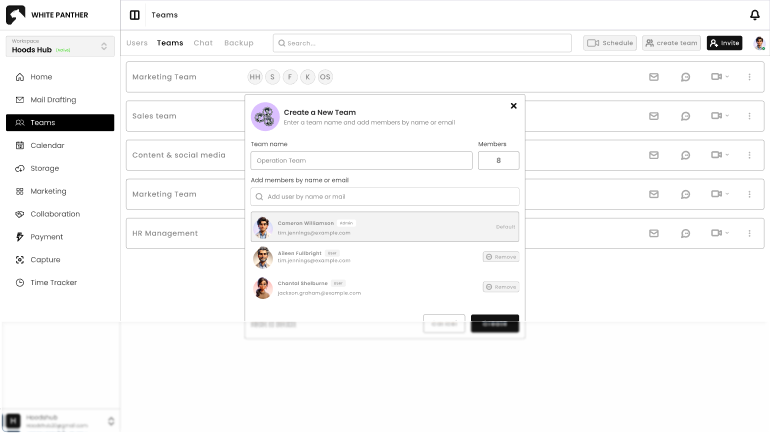
Scale your teams quickly without confusion. Create new teams, invite members by email, or share invite links directly on external platforms to grow collaboration faster.
Create teams with names and profiles
Add users by email or invite link
Assign members instantly to teams
Manage user count and team details
Finally, a Chat System That Fits Your Workflow
Built into your dashboard, not bolted on. WhitePanther keeps teamwork focused and friction-free.
Organize your team in one shared space where updates, ownership, and next steps are easy to follow. Clarity improves because everyone sees the same info at the same time.
How Different Industries Benefit from WhitePanther’s Team Chats Feature?
Team chat isn’t a separate app. It’s woven into your work so decisions, files, and updates stay tied to the right context.
Team Chats + Task Management
Turn discussions into action by linking chats to tasks. Quickly assign to-dos from within conversations and keep everyone aligned without losing momentum.
Team Chats + File Storage
Share documents, designs, or assets directly in chats. WhitePanther simplifies sharing and organizing your chats and storage.
Team Chats + Email & Calling
Start a chat, jump into a video call, or send an email, all from the same place. No switching tools, just fluid team communication when it matters.
Yes. Admins can control who is allowed to create teams and invite users, ensuring team structure, access, and growth stay organized and aligned with internal policies.
Where Teams Talk, Plan, and Move Forward
Keep every idea, message, and file in one shared space that grows with your team.