
Project managers live in a world of constant juggling.
One minute you’re tracking deadlines. The next you’re stuck between a team chat, a client email, a budget sheet, and yet another meeting invite.
It often feels like running ten marathons at once, across ten different apps.
That’s the reality: most project managers rely on ten or more separate tools daily.
Emails, chats, calendars, trackers, everything scattered across tabs. And while each tool is useful, the switching costs you time and energy.
This is where unified dashboards like WhitePanther make life easier.
Instead of switching between apps, you work from one place.
Emails, files, meetings, tasks, payments, everything loads instantly, without reloads.
But before we get to that, let’s step back.
This article will help you identify the top tools for project managers you should actually use every day to keep projects running smoothly.
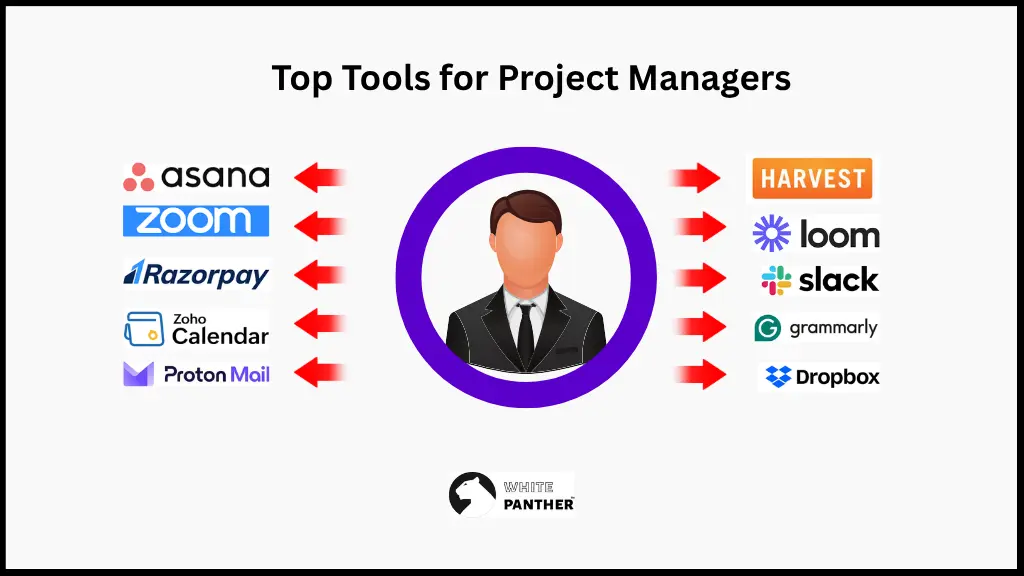
Top Tools for Project Managers
1. Time Tracker
Time is the only currency you can’t get back to. And every project manager needs to account for it carefully.
Time tracker helps you monitor every billable hour, and measure productivity. It helps you spot efficiencies before they become bottlenecks.
Top time tracking tools: Toggl Track, Harvest, Clockify
2. Emails
Client updates, approvals, vendor follow-ups, everything is still managed over emails. So, a well-organized inbox helps you manage everything smoothly.
Top email tools: Gmail, Outlook, Proton Mail
3. Calendar
As a project manager, you work with 10 different clients and it’s easy to miss out on a meeting or any task. And it will make a bad impression both on you and your company.
So, scheduling is really important. It helps you align tasks, meetings, and deadlines, so nothing slips out of your mind.
Top calendar tools: Google Calendar, Microsoft Outlook Calendar, Zoho Calendar
4. Meetings
Meetings aren’t always everyone’s favorite, but they’re unavoidable. So, using the right tool will help you streamline agenda, record sessions and share notes, so every meeting turns into action and not just talks.
Top meeting tools: Zoom, Google Meet, Microsoft Teams
5. Team Chat
Emails are good, but when you are working with 10 clients and everything seems to be urgent all the time, you cannot rely on time.
So, for real time collaboration, team chat is a must have. It helps you cut down email overload and helps you keep your conversations quick and efficient.
And if you are working remotely, you cannot miss out on team chat for collaboration.
Top team chat tools: Slack, Discord, Microsoft Teams
6. Task Management
Every project manager knows the chaos of sticky notes and scattered spreadsheets.
Task management tools bring a clear structure to everything. It helps you assign ownership, set deadlines, and track progress.
Top task management tools: Trello, Asana, ClickUp
7. File Storage & Sharing
You always need storage on cloud for storing and sharing documents. You cannot rely on your computer to store it offline; that is too old for school.
So, always use cloud storage to store creative assets, contracts, and everything you might need at any point of time.
It makes it easy to find, and it makes sure that your team never loses access to important stuff, even when they are on vacation.
(Just kidding, you shouldn’t ask for a quick design when your team is on vacation)
Top storage tools: Google Drive, Dropbox, OneDrive
8. Screen Recording
Explaining feedback or demonstrating workflows is often easier with a quick screen recording than with long text.
Screen recording tools help cut miscommunication and rework.
Top screen recording tools: Loom, Screencast-O-Matic, OBS Studio
9. Payment Management
For project managers who also deal with freelancers, vendors, or clients, payment tools simplify invoicing, tracking, and follow-ups.
Top payment tools: sPayPal, Razorpay, Wise
10. AI Content & Note Generation
Project managers spend hours drafting briefs and creating status updates. AI-powered writing tools can help save time. It can generate drafts, create notes, and save so much mental energy that goes into doing this basic.
Top AI content tools: Notion AI, Jasper, Grammarly
WhitePanther: One Dashboard, Ten Tools
You see the problem here.
As useful as these ten tools are, using them separately still means juggling ten tabs, ten logins, and ten different interfaces.
FYI, one harvard studies shows that professionals spend 9% of their time only to switch between apps.
Big problem, isn’t it?
That’s why we built WhitePanther.
It brings your daily essentials into one dashboard.
Emails, calendars, chats, meetings, tasks, files, payments, time tracker, AI writing, and screen recording into a single tab.
And that too in a single dashboard.
So instead of spending time managing tools, you can spend time managing projects.
How WhitePanther Is Better/
Built in tools
WhitePanther gives you project management, time tracker, email marketing, team chats, meetings, AI, everything built in. So, no extra charges for basic project management tools.
Integrations with your daily tools
WhitePanther integrates with your Google and Outlook emails and calendars. Also, it provides integration with Trello and Payment gateways, so you don’t have to switch apps; you can simply use tools what you are already using.
Cut 90% cost
Since you get multiple built-in tools, you don’t need to pay for every tool.
No per user fee
As a project manager, you need multiple team members, and most project management tools charge on a per seat basis. But with WhitePanther, you pay a flat fee, and you can add extra users at no extra fee.
Beyond Tools: Project Management Techniques That Save Time
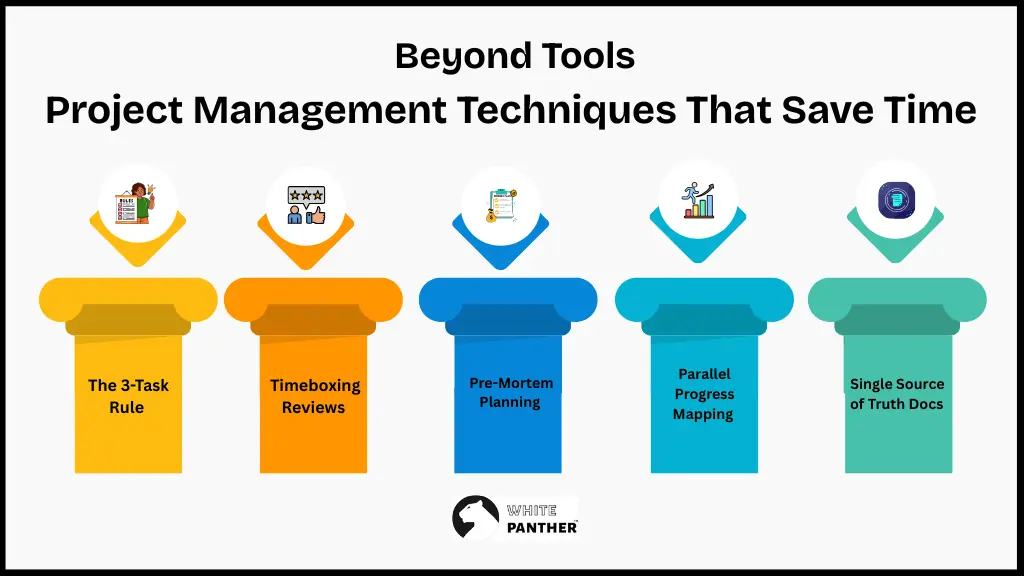
Getting the tools right doesn’t mean you have achieved everything. To really win as a project manager, you need the right project manager tools and techniques that free up time for strategy and creative problem-solving.
Here are five project management techniques you should try:
- The 3-Task Rule
Every morning, identify the three most critical tasks that will move the project forward. Focus on those first before touching emails or minor updates.
- Timeboxing Reviews
Instead of open-ended status checks, limit reviews to 20 minutes per milestone. It forces clarity and prevents endless discussions.
- Pre-Mortem Planning
Before kicking off, list everything that could go wrong and prepare mini action plans. This cuts down on firefighting later.
- Parallel Progress Mapping
Visualize tasks that can run simultaneously instead of sequentially. This shortens timelines and avoids dependency deadlocks.
- Single Source of Truth Docs
Maintain one shared project doc where every decision, update, and link lives. This prevents chasing information across multiple chats or emails.
Conclusion
Project managers don’t need more tools. They need the right tools, used the right way.
Time trackers, emails, chats, calendars, meetings, tasks, and storage are all essential.
But managing them separately eats into the very efficiency they’re meant to create.
That’s where WhitePanther unifies everything into one dashboard, saving both time and effort.
And once you pair these tools with smart techniques, you get something priceless: the time to think about how every project can be better.
Because in the end, project management isn’t just about ticking tasks. It’s about leading projects that deliver results, without burning yourself out in the process.
FAQs
1. Which is the best project management tool for project managers?
There isn’t one-size-fits-all, but if you’re looking for something that brings everything you need in project management in one place, then go for WhitePanther. It is an all-in once workspace, where everything from emails, tasks, meetings and chats come together making project management simple.
2. Do project managers really need so many tools?
Yes, because managing projects means handling tasks, emails, meetings, deadlines, and files all at once. Each tool plays a different role in keeping things organized and moving forward. The key is to keep them streamlined, so they don’t overwhelm you.
3. What is the difference between project manager tools and techniques?
Tools are the software and apps you use daily, like calendars, chats, and trackers. Techniques are the methods you apply such as pre-mortem planning or the 3-task rule. Using both together is what makes project management efficient.
4. How can I decide which project management tools to start with?
Start by looking at your current pain points. If you miss deadlines, focus on the calendar and task management tools. If communication gets messy, prioritize chat and meeting tools. Build your toolkit around your biggest challenges first.
5. Is it possible to manage projects without paid tools?
Yes, there are plenty of free versions like Trello for task management, Google Calendar for scheduling, and Loom for screen recording. But as projects grow, free tools often hit limits. That’s where platforms like WhitePanther give better value because you get everything under one plan.

SEO Content Marketer
I help IT, SaaS, and tech brands turn complex ideas into clear, conversion-focused content—blogs, landing pages, and campaigns that educate buyers, build trust, and drive qualified leads. I blend sharp storytelling with SEO and marketing strategy so every piece earns its place in the funnel.



