
Most of the time, you will hear people saying like work doesn’t feel like work anymore. Workday feels like slipping through fingers all the time and businesses are unable to track productivity even after using 10 different tools.
If you are a small or medium sized business, you probably have heard about workspace management software and you might be using one.
But if you are not seeing the expected results, this article is for you.
In this article, we are going to discuss what is workspace management software, what are the tools you can use, what mistakes to avoid while using them to achieve expected outcomes.
Let’s start with what is workspace management software.
Table of Contents
What is Workspace Management Software?
Well to put in simple words, workspace management software is a tool that helps you track your employees time and activity to make sure that every hour is productive and employees are getting most out of it.
But do you think that works in modern era?
Probably not!
Your workspace management software, as the name suggest it should actually be able to manage your whole workspace and not just track time and activity.
It should be like a digital workspace, where you can access all your tools in one single dashboard.
Unlike traditional productivity apps that claims to make you productive while doing just one thing, these systems gives you a bird eye view of everything.
In simple words, it doesn’t just track hours, it helps keep everyone aligned and focused on outcomes.
- White Panther for modern workforce analytics
- Flowace for AI-powered productivity tracking
- Time Doctor for detailed time tracking and performance insights
- ActivTrak for employee monitoring and behavior analytics
- Workstatus for effortless efficiency and workforce automation
- Insightful for productivity measurement and team visibility
- Hubstaff for GPS-based workforce management
- RescueTime for personal productivity analysis and focus improvement
Benefits of Workspace Management Software
- Centralized dashboard: Get everything in one place, all your daily use tools.
- Improved productivity: With built in automation and performance analytics, you can analyze what is working and what is wasting time..
- Better collaboration: Smart workspace management tools help your team collaborate better and share feedback in real time.
- Smarter time tracking: It’s not just about hours logged but how efficiently those hours are being used.
- Scalability: Whether you are a freelancer or running a 50 person team, these tools will grow with you.
- Transparency: Everyone can see who’s working on what, which reduces confusion and improves accountability.
Now, the question is which workspace management tools actually work. So, here is the list of best workspace management tools that delivers real world outcomes.
Top 8 Workspace Management Tools
1. WhitePanther
Most workspace management tools track time, but WhitePanther is different.
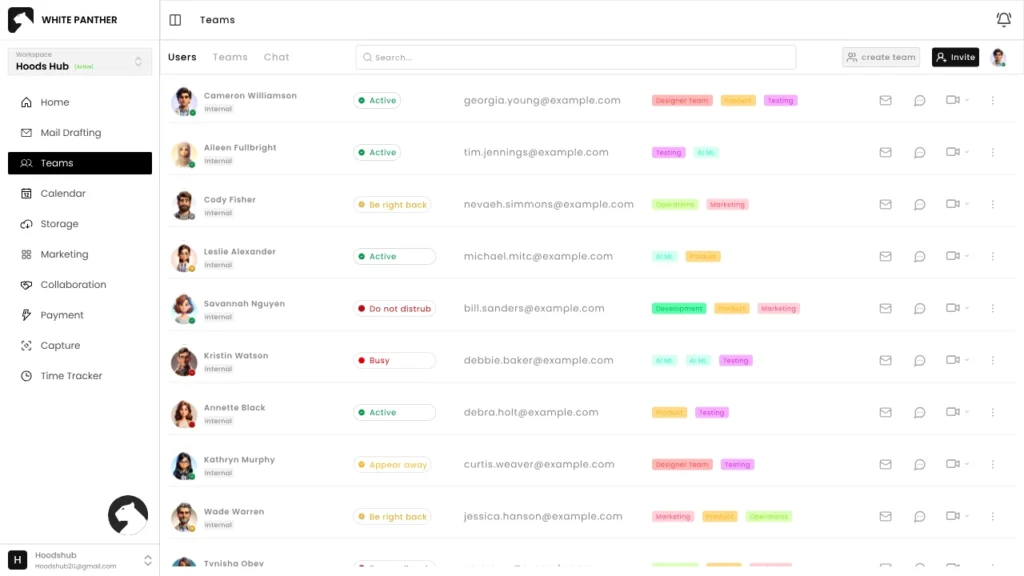
It brings all your work tools into one dashboard. Be it your emails, chats, meetings, or AI, you get everything in one dashboard.
With WhitePanther, your team can collaborate better since they don’t have to look elsewhere to find anything, everything is right in front of their eyes. Plus, its AI assistant is always available to help whenever required.
Key Features:
- Unified dashboard for emails, chats, meetings, and notes
- Built-in AI tools for writing, summarizing, and automating tasks
- Get email marketing tool built in without any extra cost
- Time tracking and screen recording built in
- Integration with your email, calendar and storage tools
WhitePanther is GDPR-compliant and ISO certified workspace management tool, so you don’t have to worry about security.
Plus, you don’t have to pay per seat, so you can grow without worrying about growing cost.
2. Flowace
Flowace helps track productivity automatically while keeping privacy intact. It’s perfect for teams that want transparency without feeling like they’re being watched. It provides insightful reports and lets you see how much focus time your team is actually getting.
Key Features:
- AI-based productivity analytics
- Automatic time tracking
- Focus-time and distraction reports
- Insightful performance dashboards
- Privacy-first monitoring approach
3. ActivTrak
ActivTrak combines behavior analytics with time tracking to give companies visibility into team performance. It’s great for understanding patterns, like what boosts or blocks productivity and helps leaders make smarter workflow decisions.
Key Features:
- Employee productivity insights
- Real-time behavior analytics
- Team benchmarking and comparisons
- Goal tracking and activity breakdowns
- Data-driven productivity coaching tools
4. Time Doctor
Time Doctor is known for detailed time tracking and project monitoring. It captures work patterns and even sends friendly reminders if you get distracted. Ideal for remote teams that want clear visibility into where time goes.
Key Features:
- Precise time and activity tracking
- Idle time and distraction alerts
- Project and client billing reports
- Screenshots and web/app usage logs
- Integrations with project management apps
5. Workstatus.io
Workstatus.io goes beyond tracking time. It helps manage field employees, monitor project costs, and improve overall workforce efficiency. It’s a great fit for hybrid and remote teams who want data-driven productivity insights.
Key Features:
- GPS tracking for on-field employees
- Productivity analytics dashboard
- Project budgeting and cost tracking
- Workforce scheduling and attendance logs
- Screenshots and custom reporting
6. Insightful (formerly Workpuls)
Insightful focuses on performance analytics and employee engagement. It helps managers understand productivity trends without micromanaging. It’s ideal for companies that want to optimize workflows with less manual tracking.
Key Features:
- Automatic time and activity tracking
- Real-time performance insights
- Work pattern analysis
- Employee engagement metrics
- Integration with HR and project tools
7. Hubstaff
Hubstaff offers strong project tracking, GPS-based employee monitoring, and payroll management. It’s widely used by businesses with distributed teams. The software also provides detailed productivity reports and integrates with major project management apps.
Key Features:
- GPS and geofencing for remote workers
- Timesheets and attendance tracking
- Payroll automation
- Productivity and activity monitoring
- Integration with 30+ third-party apps
8. RescueTime
RescueTime is all about personal productivity. It runs quietly in the background, analyzing how you spend your digital hours and giving you feedback on where your focus drifts. Great for individuals who want to reclaim their time and attention.
Key Features:
- Automatic app and website usage tracking
- Daily and weekly productivity reports
- Focus session reminders
- Goal setting and progress visualization
- Real-time distraction alerts
Things to Keep in Mind While Using Workspace Management Tools
While these tools can be helpful, they’re not meant to turn work into a surveillance system.
- Don’t overemphasize on time tracking, but focus on real outcomes.
- Use reports to improve workflows, and not just to blame employees.
- Regularly review your tool settings to maintain privacy and trust.
- Don’t just keep adding tools, use the ones that actually support your goal.
- Keep automation simple, the idea is to make work easier, not more complicated.
Conclusion
Managing your workspace is as important as managing your time. The right workspace management software can simplify your day, reduce distractions, and bring everything you need into one place.
Whether it’s a solution like WhitePanther or a specialized tracker like RescueTime, what matters is choosing what fits your work style and goals.
Remember, tools don’t make you productive; the way you use them does.
So, pick your workspace wisely, focus on results, and let technology handle the rest.
FAQ’s
1. What is workspace management software used for?
Workspace management software is a software that helps you organize your digital workspace. It helps you do more than just tracking time and employee activity. It lets your team collaborate better and be more productive and achieve the desired outcomes.
2. How is workspace management software different from project management tools?
Project management tools mainly help you plan and track tasks, while workspace management software covers everything. Be it your communication, file sharing or automation, it works like a full workspace.
3. Can small teams and freelancers use workspace management tools?
Yes, many workspace management tools like WhitePanther are designed to work for freelancers, startups and small teams.
4. What features should I look for in workspace management software?
Look for features beyond time tracking like real time collaboration, centralized dashboard and secure data storage. The best workspace management tool lets you align your workflow and simplifies how your team works.
5. Is it necessary to track time in workspace management tools?
Not always! As a manager or owner, you should focus on outcomes. Though time tracking is required sometimes, don’t overemphasize on it. Take a balance approach, it will help your team be more productive.

SEO Content Marketer
I help IT, SaaS, and tech brands turn complex ideas into clear, conversion-focused content—blogs, landing pages, and campaigns that educate buyers, build trust, and drive qualified leads. I blend sharp storytelling with SEO and marketing strategy so every piece earns its place in the funnel.



