
If you are building a startup right now, your brain is probably spread across twelve tabs, five Slack DMs, and a notebook that went missing three days ago.
Everyone keeps telling you that you just need “the right tools” and everything will fall in place.
Reality: most founders already have a lot of tools. What they do not have is a calm, connected way to work. That is where choosing the right productivity tools for startups actually matters.
In this guide, we’ll walk you through something practical.
No shiny recommendations that only work if you have a 50-member team.
We will talk about where productivity breaks for young teams, then go through ten realistic productivity tools for startups you can start using this month.
Where Startup Fail to Improve Productivity

You can buy every software on Product Hunt and still feel behind. Most early teams struggle with productivity for some very basic reasons:
Too many tools, zero workflow
You have a separate app for email, tasks, docs, chat, meetings, notes, and files. Every time you switch windows, your brain needs a few seconds to remember what you were doing. Do this a hundred times a day and you lose hours.
No single source of truth
People are not lazy. They are just confused. Half the plan lives in Notion, the rest in a random Google Doc, and the “real” decisions are buried in WhatsApp or Slack chats.
Founders stuck in operations
Instead of spending time on customers and product, founders babysit follow ups, approvals, and status updates. You become the human reminder app.
Tools picked like shopping, not like systems
Many teams treat tools like a shopping list of features. In reality, good tools for startup productivity work like a system. They keep communication, planning, and execution in one connected flow.
So when you think about picking startup growth tools, the first question is not “What has the most features?” It is “Will this make my team’s day feel lighter and clearer?”
Top 10 Productivity Tools for Startups
1. WhitePanther – your all-in-one AI Powered Workspace
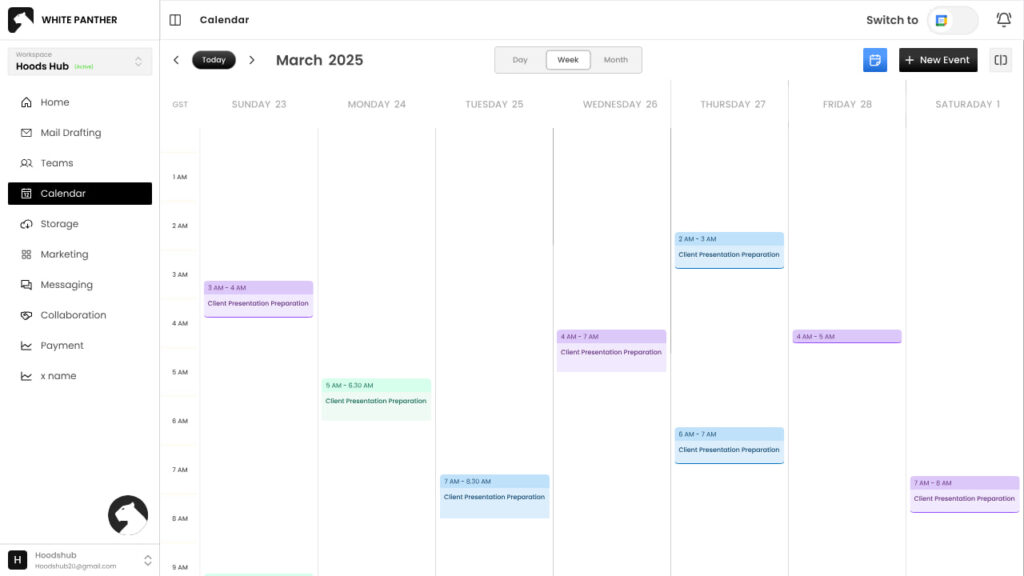
WhitePanther is built for the exact chaos most early stage teams live in. Instead of opening ten apps, you get one clean dashboard where you can see emails, tasks, calls, meetings, files, notes, and even AI writing inside a single space. No reloads. No tab hopping.
WhitePanther keeps your daily work inside one dashboard so you can move from “reply to this email” to “check the task” to “open the file” without touching your browser tabs. It is like having your office desk arranged properly instead of piled with random papers.
Key features
- One dashboard for emails, tasks, chats, meetings, and files
- Time tracker and screen recorder for client work and internal reviews
- AI assistant for drafting emails, summaries, and content inside the app
- Cloud storage integration so you open Google Drive or Dropbox files without leaving
- No page reloads, everything opens in the same space
Why startups should use it
If you want one of the rare productivity tools for startups that actually reduces tool count, WhitePanther is worth testing. Also, there is no per user fee, so you can grow your startup without having to worry about growing cost.
2. Notion – flexible docs and light project management
Notion is where many teams write things down. It works as a mix of notes, docs, wikis, and light project boards. Great for storing knowledge and planning sprints if you keep it simple.
You can create pages for meeting notes, product specs, company wiki, and OKRs. Databases make it easy to build task lists, roadmaps, or even lightweight CRMs if you do not want a full system yet.
Key features
- Pages for notes, wikis, and documentation
- Databases for tasks, projects, and simple pipelines
- Templates for onboarding docs, product specs, and more
- Real time collaboration for the whole team
Why startups should use it
Notion is one of the best productivity tools for startups that want structure without feeling too heavy. Just be careful. If you over design your workspace, people stop using it.
3. Slack – focused team communication
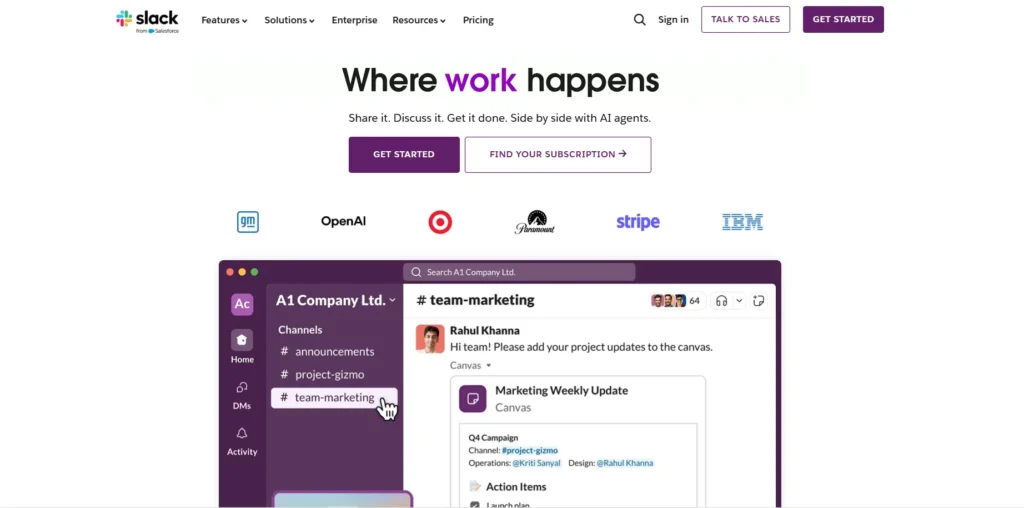
Slack keeps internal conversations out of WhatsApp and random email threads. You create channels for teams, projects, and topics so messages stay organized.
Instead of endless group chats, you get channels like #product, #support, and #marketing. People can jump in, reply, and share files in context.
Key features
- Channels for different teams and projects
- Quick audio huddles for fast discussions
- Integrations with tools like GitHub, WhitePanther, and Google Drive
- Searchable history so you can find past decisions
Why startups should use it
For fast growing teams, Slack sits in the middle of your communication stack. Among tools that support fast growing teams, it is one that scales well as your team size goes from three to thirty.
4. Google Workspace – email, calendar, and shared drive
At some point you need proper email, calendar, and shared drives that do not sit in personal accounts. Google Workspace gives you that foundation.
You get branded email like yourname@yourstartup.com, shared calendars for meetings, and Google Drive for docs, sheets, and presentations.
Key features
- Branded Gmail for the whole team
- Shared calendars for meetings and availability
- Google Drive with Docs, Sheets, and Slides
- Live collaboration on documents
Why startups should use it
Think of this as one of the default tools in a startup productivity stack. You will use it daily for investor communication, customer emails, hiring, and more.
5. ClickUp – deep task and project management
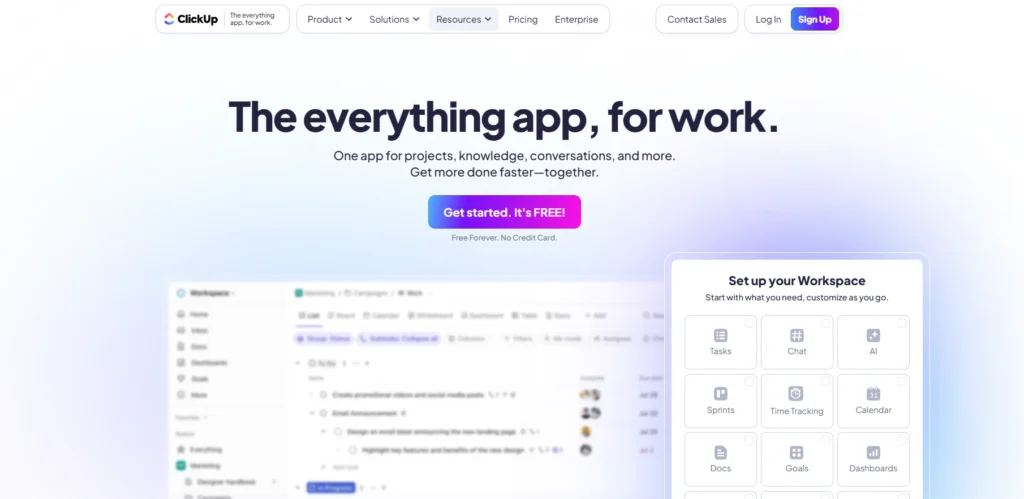
If your work has a lot of moving parts, ClickUp gives you serious project management powers in one place.
You can create spaces for teams, lists for projects, and tasks with assignees, due dates, and custom fields. Views like list, board, and timeline help different people see work how they like.
Key features
- Tasks with subtasks, dependencies, and custom fields
- Multiple views like list, board, Gantt, and calendar
- Time tracking inside tasks
- Docs and whiteboards built in
Why startups should use it
Out of all startup growth tools in project management, ClickUp is good when your team is ready for more structure. Just commit to one simple setup and avoid rebuilding your workspace every month.
6. Loom – async video explaining tool

Loom is perfect when you are tired of long messages and unnecessary meetings. You record your screen with your face in the corner and talk through whatever needs explaining.
You hit record, walk through a design, a bug, or a new feature, and share the link with your team or clients.
Key features
- Screen, camera, or both in one video
- Instant shareable links
- Comments and reactions on specific timestamps
- Basic editing like trimming
Why startups should use it
Loom is one of those quiet tools that improve productivity for early teams and save hours. Instead of three meetings, you record one clear Loom and move on.
7. Calendly – easy meeting scheduling

No one enjoys back and forth messages about “What time works for you?” Calendly removes that dance.
You set your available slots, share your link, and people pick a time that suits them. It syncs with your calendar to prevent double booking.
Key features
- Custom meeting types and durations
- Automatic time zone detection
- Calendar integration with Google or Outlook
- Reminder emails for attendees
Why startups should use it
For founders doing sales calls, interviews, and investor chats, Calendly feels like a small but powerful part of your scheduling and growth stack.
8. Zapier – connect apps and automate tasks
At some point, you realise your tools are not talking to each other. Zapier comes in as the glue.
Zapier lets you create simple workflows. Example: when someone fills a Typeform, create a lead in your CRM and send a Slack notification.
Key features
- Thousands of app integrations
- No code automation builder
- Multi step workflows
- Filters and conditions
Why startups should use it
Zapier is one of the most important startup growth tools when you want systems without hiring a full engineering team for internal tools. You automate boring tasks and keep humans for the important work.
9. HubSpot CRM – manage leads and customer pipeline

Even very young startups need a simple way to track leads and customers. HubSpot CRM gives you that without forcing you to pay on day one.
You get contacts, companies, deals, and a simple pipeline view. Emails can log automatically so you see the full history with every lead.
Key features
- Contact and company records
- Deal pipelines with stages
- Email logging and tracking
- Basic reports and dashboards
Why startups should use it
If you are serious about sales, HubSpot becomes one of your core productivity tools for startups. It keeps your follow ups honest and your pipeline visible.
10. Fathom – automatic meeting notes
Founders spend half their week in meetings and remember only half of what was said. Fathom helps with that.
Fathom records your Zoom, Google Meet, or Microsoft Teams calls, then generates searchable transcripts and key highlights.
Key features
- One click recording inside meetings
- Automatic transcripts and call summaries
- Highlight clips for important moments
- Integrations with tools like HubSpot and Notion
Why startups should use it
As one of the smarter growth tools for meetings in young companies, Fathom lets you stay present on calls while it captures the details. After the call, you share short clips instead of writing long recaps.
Conclusion: build a simple stack and stick to it
Here is the honest part. You do not need all ten tools tomorrow.
Start with a calm core: an all in one workspace like WhitePanther, proper email and calendar through Google Workspace, and one clear place for documentation like Notion. That set alone gives you a strong base of productivity tools for startups.
Then add communication, scheduling, automation, and CRM slowly as your team’s work demands it. Treat these tools as startup growth tools, not as shiny toys. Before buying anything, ask one question:
“Will this make it easier for my team to start the day, see what matters, and finish important work without drowning in tabs?”
If the answer is yes, keep it. If the answer is no, say no to the feature list and protect your team’s focus instead.
FAQs
1. How do I know which productivity tools for startups I actually need first?
Start with tools that reduce switching. You need one workspace for communication, tasks, files, and meetings. After that, add scheduling, automation, and CRM tools only when your daily workflow demands it.
2. Why do startups struggle even after using multiple productivity tools for startups?
Most teams use too many disconnected tools. Productivity drops when information is scattered and people keep switching tabs. The right tools work like a system, not a collection of apps.
3. Are startup growth tools expensive for early founders?
Not always. Many tools offer free plans or affordable tiers. What matters is using a small, efficient stack that helps you work faster instead of paying for ten apps nobody fully uses.
4. How do I choose the best productivity tools for startups for my team?
Pick based on workflow, not features. Ask: Will this reduce chaos? Will it help my team finish tasks faster? If a tool doesn’t directly improve clarity or execution, skip it.
5. Can productivity tools for startups replace manual follow ups and repetitive work?
Yes. Tools like WhitePanther, Zapier, and CRM systems help automate reminders, status checks, logging, and daily admin work. This frees founders and teams to focus on customers and growth.
If you’re working as a freelancer, you know time is more than just money, it is everything.
How you spend your day decides, your paycheck, your client satisfaction and even how confident you would feel at the end of the week.
And that’s where a time management calculator comes in.
Now, before you roll your eyes thinking “another productivity tool,” hear us out.
This isn’t just some fancy app that tells you what you already know. Its like a mirror that shows where you are spending your time and how you can manage it.
Because lets be honest, as a freelancer, everyone struggles with lack of hours.
So, this article will help you understand how time management calculator can help you be more productive and get your time back.
Table of Contents
So, What Exactly Is a Time Management Calculator?
A daily time management calculator is like your personal data-driven coach for your day.
It helps you measure how you spend every hour of your day.
Be it client calls, deep work or doom scrolling on short videos, or some unplanned task.
It will give you a reality check and it might sound something like this if you aren’t productive enough, “Hey, you think you’re working eight hours a day, but you’re actually doing deep work for only four.”
The outcome?
You get to see your time like its your bank account statement. You get to see what’s giving returns and what is draining your energy.
It helps you decide where to reinvest your focus to grow your career as a freelancer.
Why Every Freelancer Needs a Time Management Calculator
If you’re freelancing full-time, you don’t have a manager to look after you and ping you every hour on work status.
And this freedom is why most choose freelancing. But it ain’t as shiny as it looks.
One minute you are working on a client project and the next minute, you are replying to three DMs.
So, a time management calculator for work helps you stop operating on feelings and start operating on facts.
Let’s break down what it actually does for you:
Tracks your working hours
Instead of guessing how long a project takes, you know exactly. That’s gold when quoting new clients or planning your week.
Shows where your time leaks
You may think admin takes 30 minutes, but it’s often eating up two hours. The calculator shows you, so you can delegate, automate, or eliminate.
Helps you find your peak hours
Every freelancer has “zones”. These are the times when your brain runs at full capacity and you are most productive. So, using a daily time management calculator will help you stop those windows and schedule your most impactful work during that window.
Improves your client pricing strategy
Once you actually know how much time you are spending on specific tasks, you understand the value of your hour and you stop undercharging.
Keeps burnout away
It’s not just about working more, it’s about working smart. If you see your time allocation, it will help you avoid those 12 hour fake productive days.
How Does a Time Management Calculator Work?
It’s pretty straightforward.
Most time management calculator ask you to enter:
- Your total working hours in a day or week
- Time spent on each category (client work, admin, calls, breaks, learning, etc.)
- Your productivity goal (say, 6 hours of deep work daily)
Then, the calculator shows your breakdown, maybe 30% on actual work, 25% on communication, 15% on distractions, and so on.
Some AI powered time management calculators will even give recommendations like:
- “Reduce meeting time by 1 hour to gain 10% more focused work.”
- “You’re spending 20% of your time on unpaid admin, consider automating it.”
You can even connect your time management calculator with your project tools for more accurate tracking.
The point isn’t to follow a robot like routine, but it is to make your day intentional.
You know when to say yes, when to say no, and when to just close the laptop guilt-free.
The Freelancer’s Reality Check
Let’s take a quick scenario.
Imagine you work 8 hours a day. You open your daily time management calculator and realize:
- You spend 2 hours on emails and messaging
- 1 hour in planning
- 2 hours in actual work
- And 1.5 hour for breaks and other stuff.
So, basically your 8 hour day is just 3 hours of actual work that gets you paid.
Now, if you cut distractions and structure your day based on the insights, you can get more done and even get paid higher.
If you genuinely use it, you can 2X your productive hours. And that would be a huge jump in efficiency without working long hours.
And that is what makes freelancers thrive, by understanding where your energy flows and not just time.
Why Freelancers Burn Out Without Tracking Time
Every freelancers tells themselves this lie: I remember what I did today
But in reality, you don’t.
You remember task completed and not hour worked on each one.
Your brain is not built for that. So don’t even try to memorize it, it doesn’t even make sense.
That’s where a time management calculator for work saves you. It captures real data while you just live your day.
Burnout doesn’t come from working 10 hours. It comes from not knowing where those hours went.
Once you have clarity, you can adjust, take breaks when you need, push deep work when it matters, and say no when something doesn’t align with your goals.
The Psychology Behind It: Why Seeing Numbers Changes Behavior
Seeing numbers hits different rather than just making assumption.
There is a reason why fitness apps that show your step counts and consumed calories. The visibility brings more accountability.
A daily time management calculator for work does the same thing.
If it says you spent 40% of your time on emails, then you can’t blame bad luck or mood.
You have the data and you are more likely to fix it when you have the numbers in front of you.
Overtime, this awareness of time will train your brain to manage focus like a muscle. And you will start prioritizing better.
And when you do that, freelancing stops feeling chaotic and starts feeling more like a business.
How to Use a Time Management Calculator Effectively
Here’s a simple framework you can follow starting today:
1. Log your hours honestly for a week
No edits after tracking time and no justification. Just track raw data of when you worked and when you took breaks for lunch(and scrolling instagram).
2. Review and categorize
Divide into buckets: client work, admin, self-promotion, learning, breaks, distractions.
3. Analyze patterns
Use a time management calculator to visualize where you’re over or under-investing time. And if you want to do it in an unbiased way, use AI.
4. Rebuild your schedule
If you don’t adjust based on results, there is no meaning of using the tool. So modify your schedule and move deep work in to high focused hours.
5. Re-evaluate weekly
Freelancing life changes fast. One week you’re flooded with projects; next week you’re prospecting. Keep tweaking your daily rhythm with your daily time management calculator.
The idea isn’t perfection, it’s progress. Tiny improvements compound. You’ll soon realize how much more you can do in fewer hours.
Best Time Management Calculator Tools and Options to Try
You can use a simple spreadsheet or explore some handy tools.
Here are a few you might like:
- WhitePanther – brings time tracking, task management, and productivity analytics into one no-reload workspace, perfect for freelancers juggling multiple clients.
- Toggl Track – simple, clean, and integrates with project tools.
- RescueTime – shows your digital behavior patterns.
- Clockify – a great time management calculator for work if you manage multiple clients.
You don’t need ten tools, one good time management calculator integrated into your workflow is enough.
And WhitePanther does exactly that.
WhitePanther is not just a time tracking tool, it brings your daily tools into one dashboard.
- Built in client chats, meetings and calls
- Time tracker for managing time, screen recorder for sharing feedbacks
- Email marketing for client outreach
- Email, storage and Calendar integration
- Documents, PPTs, and sheets built in for no extra cost
- Payment integration for requesting and making payments
Real Benefits You’ll Notice Within Weeks
- You’ll stop over-promising deadlines.
- You’ll set realistic goals and actually meet them.
- You’ll charge clients confidently based on effort.
- You’ll feel less drained because your time has purpose.
When your daily time management calculator becomes a habit, you start treating hours like currency, spending them on what truly matters.
Final Thoughts
Freelancing gives freedom, but freedom without structure becomes chaos. A time management calculator gives you back control, without killing creativity.
You’ll start to see patterns you never noticed. You’ll fix what’s broken. You’ll design your day around energy, not ego.
So if you’ve been wondering why your 8-hour days feel like 4, try using a daily time management calculator for a week. You’ll get clarity on what’s real, what’s noise, and what’s actually worth your time.
Because once you understand your time, you understand your business. And that’s when freelancing stops being a hustle, and starts being freedom with results.
FAQ’s
1. What is a time management calculator?
A time management calculator is a digital tool that helps you track and analyze how your are spending your hours each day. It gives you a complete overview of your actual productive hours.
2. How can a daily time management calculator help freelancers?
It helps freelancers by finding productivity gaps in their routine. By logging in the time spent, you get to see your most productive hours, areas of distraction and tasks that take up most of your day.
3. What’s the difference between a time management calculator and a time tracker?
Well, practically they are both the same. Both help you track time and see how you can improve your time spent on most productive task.
4. Can a time management calculator for work improve productivity?
Yes, thats is the whole purpose of using it. You get to see how you are spending your time and if used properly, it can 2X your productivity or even more.
5. What’s the best way to start using a time management calculator?
Start simple. Track your daily activities for one week using any time management calculator for work or a spreadsheet. And be honest with your time, once you review results, you can change your schedule accordingly to be more productive.

SEO Content Marketer
I help IT, SaaS, and tech brands turn complex ideas into clear, conversion-focused content—blogs, landing pages, and campaigns that educate buyers, build trust, and drive qualified leads. I blend sharp storytelling with SEO and marketing strategy so every piece earns its place in the funnel.



