
Collaboration sounds simple until you actually do it. One person updates a task in one tool, the file sits in someone’s Drive link in a chat, feedback comes in email, decisions happen in a meeting, and the follow up gets buried in someone’s head. Then everyone thinks they are “working,” but the team is really just passing context around like a hot potato.
WhitePanther fixes that in a very practical way. It puts the tools people already rely on, tasks, email, meetings, calls, time tracking, files, and more, inside one dashboard. No tab switching. No reloading. Just one place where work moves forward, and where the handoffs stop breaking.
Here are 15 real ways it improves collaboration, using combinations of tools, not isolated features.
Table of Contents
15 ways WhitePanther can help improve collaboration
1) Turn emails into action without losing the thread
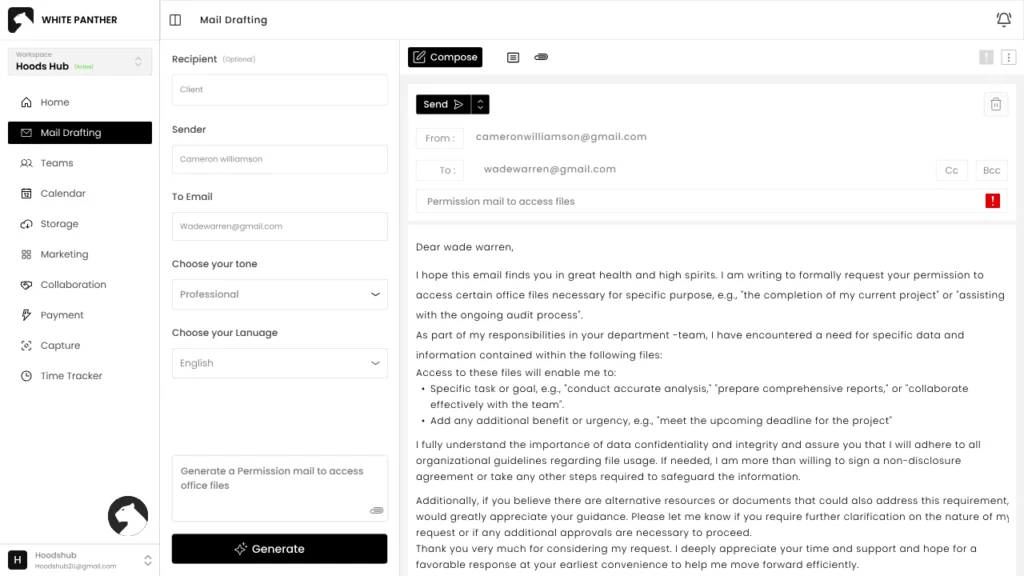
Most collaboration dies in email because the “next step” is unclear. In WhitePanther, the email is not a dead end. You can read the email, pull the decision, and create and assign a task in the same dashboard. So the task is not “Update proposal,” it is “Update proposal based on the client’s email on pricing and timeline,” with all the details right there when someone needs it.
2) Keep meetings and tasks connected, so decisions actually become work
Teams love meetings. Teams also love forgetting what was decided. WhitePanther helps by keeping meetings close to execution. Meeting notes, action items, and follow ups can live alongside the tasks they create. That means the moment someone says, “I will send the draft by Wednesday,” it turns into something visible, trackable, and not dependent on memory.
3) Use calls as a collaboration tool, not a personal inbox
Calls often create the messiest collaboration gap: the info stays with the person who took the call. In WhitePanther, call outcomes can be turned into shared next steps. You log the call, capture what was agreed, create follow up tasks, and attach it all to the same workflow. So the team is not waiting for one person to “update everyone later.”
4) Share files where the work happens, not where the file happens to live
Files should not be scattered across chats and random links. With WhitePanther’s Google Drive and Dropbox integration, the team can access uploads and downloads inside the dashboard, with real-time syncing. That means the file sits with the project or the task, not floating around in someone’s bookmarks.
5) Reduce the “Where is that?” question to zero
This is the most underrated collaboration win. When tools are separated, people waste time searching across tabs, chats, mail, and storage. WhitePanther being one workspace changes the default behavior. Everyone knows where to look first. That cuts down the daily interruptions that destroy deep work and slow teams down.
6) Build smoother handoffs between roles
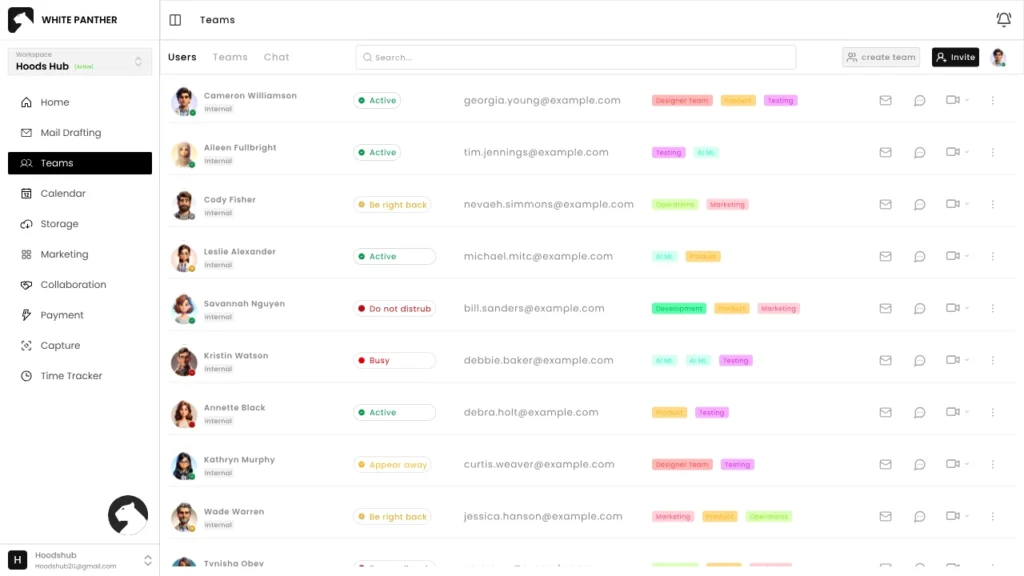
In a real team, work moves between people constantly: sales to ops, ops to delivery, delivery to finance, finance back to the client. WhitePanther helps because everything sits in one flow. The person handing off can attach the email context, the call summary, the file, and the task checklist in one place. The next person starts with clarity, not confusion.
7) Make async collaboration feel normal, not stressful
Not everyone is online at the same time. Remote teams and agencies live on async. WhitePanther supports that by keeping context attached to work and making updates visible without meetings. When someone checks in later, they do not have to ask five questions to understand what happened.
8) Use screen recording to cut feedback loops in half
Long explanation messages are the enemy of fast collaboration. Screen recording fixes that. Instead of typing a paragraph like “Click here, then go there, then you will see…,” someone records a quick walkthrough and shares it right where the task lives. Design feedback, bug reports, client walkthroughs, onboarding, it all becomes faster and clearer.
9) Keep communication consistent with AI drafting inside the workflow
Teams lose time rewriting the same kind of messages: follow ups, clarifications, meeting recaps, client updates. WhitePanther’s AI email drafting helps people write faster while staying on tone. The collaboration win here is consistency. Clients get cleaner updates. Teammates get clearer requests. Misunderstandings drop because the message is actually readable.
10) Stop the tool switching that silently kills momentum
Context switching is not just annoying, it breaks collaboration because it delays responses and creates gaps. WhitePanther’s no reload, no tab switching setup makes it easier for people to respond while they are already inside the work. Quick reply, quick task update, quick file share, quick meeting note. That speed compounds across a week.
11) Make “visibility” automatic instead of forced
In many teams, visibility depends on someone remembering to update a doc, a sheet, or a chat channel. WhitePanther pushes collaboration toward automatic visibility: tasks show progress, emails show the latest client direction, files are available in the same space, time tracking shows effort, and meeting notes show decisions. Nobody has to chase status updates all day.
12) Improve collaboration between managers and doers
Managers want clarity. Doers want fewer interruptions. WhitePanther can sit in the middle. Managers can see what is moving, what is stuck, and what needs decisions without constantly asking. Doers can keep working because the system carries the update, not their brain.
13) Turn templates into shared standards for the whole team
Collaboration improves when everyone plays the same game. Template management helps teams reuse proven formats: proposal emails, client onboarding sequences, weekly updates, internal checklists. This matters in agencies and SMEs where quality varies person to person. Templates reduce chaos and make the team feel aligned, even when different people handle different parts.
14) Make onboarding less painful and way faster
New team members struggle because context is scattered. WhitePanther reduces that by keeping work and communication in one place. A new hire can see how tasks are written, how emails are handled, what files live where, how meetings are documented, and how time is tracked. They learn the team’s workflow by observing it, not by asking 50 questions.
15) Support real collaboration across departments, not “handoff theater”
The biggest collaboration problem is not teamwork inside one department. It is work between departments. Sales promises something, delivery tries to interpret it, finance needs details, support gets the angry email. WhitePanther helps because the full story can live together: the email promises, the call notes, the timeline tasks, the shared files, and the follow ups. Cross-functional work becomes smoother because everyone is looking at the same reality.
Conclusion
If your team’s collaboration feels messy, it is probably not because people do not care. It is because your workflow is split across too many places, and every split creates friction. That friction shows up as delays, confusion, duplicate work, and constant “quick calls” that eat the day.
WhitePanther improves collaboration by keeping the real ingredients of teamwork together: communication, tasks, meetings, calls, files, and follow ups. When all of that sits in one dashboard with no tab switching and no reloads, collaboration stops being a daily struggle and starts feeling like a natural flow.
If you want your team to move faster without adding more meetings, this is the direction you build in.
FAQs
- How does WhitePanther improve collaboration in daily work?
WhitePanther keeps tasks, email, meetings, calls, and files in one dashboard, so teams stop losing context across tabs and tools. People can turn updates into actions faster, and everyone stays on the same page.
- Is WhitePanther useful for remote teams and async collaboration?
Yes. When conversations, decisions, and task updates stay connected in one place, remote teams waste less time asking for context. Async work becomes smoother because the “why” and “what’s next” are always visible.
- How does WhitePanther help with client collaboration for agencies and SMEs?
Client emails, call notes, meeting outcomes, and shared files can stay tied to the exact task or project. That means fewer missed follow ups, cleaner client updates, and less confusion when multiple people touch the same account.
- Can WhitePanther reduce meetings and status check-ins?
If updates are visible through tasks, meeting notes, and shared context, managers do not need to chase people for status. Teams end up doing fewer “alignment” calls because the work is already aligned.
- What makes WhitePanther different from using separate tools?
Separate tools create broken handoffs and constant switching. WhitePanther combines everything into one workspace with no reloads and no tab switching, so collaboration stays fast and continuous instead of scattered.

SEO Content Marketer
I help IT, SaaS, and tech brands turn complex ideas into clear, conversion-focused content—blogs, landing pages, and campaigns that educate buyers, build trust, and drive qualified leads. I blend sharp storytelling with SEO and marketing strategy so every piece earns its place in the funnel.



