WhitePantherassistance helps your team think faster, simplify complex information, and turn raw inputs into structured output without relying on public AI tools. It gives every department a secure, role-aware assistant that reduces starting friction, lowers mental load, and delivers work your team can actually use right away.
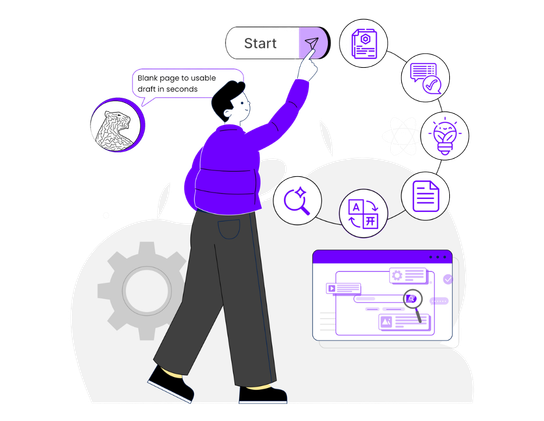
Move from blank page to usable draft in seconds
Get structured answers your team can review, share, and act on faster
Keep sensitive business thinking inside your own securteame environment
For Anyone Who Needs Better Thinking Built into Daily Work
WhitePantherassistance is built for people who work with ideas, information, and decisions every day. Whether you are running a business, building a startup, leading a team, or handling individual responsibilities, it helps you think faster, create clearer output, and reduce the time spent on drafting, summarizing, and organizing work.
WhitePantherassistance keeps sensitive work inside your environment, so you can brainstorm, summarize, and organize internal knowledge without exposing business context to public AI tools.
Private by default
No public AI exposure
Safer internal work
Built for sensitive use
WhitePantherassistance turns rough inputs into organized summaries, first drafts, project outlines, client explanations, and internal notes, helping people move from scattered thinking to usable work faster.
Clean summaries
Usable first drafts
Faster review flow
Less manual cleanup
WhitePantherassistance adapts responses based on role, so leaders, managers, and specialists get clearer output with the right depth, focus, and business relevance.
Right depth by role
Better decision support
Clearer team outputs
Less generic responses
WhitePantherassistance works with your business context, helping youthink with better continuity, reduce repeated explanations, and keep work aligned across ongoing discussions.
Context stays connected
Less repeated explaining
Better work continuity
Built For Private Knowledge Work
Inside Your Environment
WhitePanther assistance works within your own setup, so internal notes, project thinking, business discussions, and working context stay where your team works instead of moving into public AI systems.
Your Knowledge Stays Yours
What users ask, draft, summarize, or organize does not become training material for external models. The value stays with your business, and the system improves through your own usage and feedback.
Focused Access Only
WhitePanther assistance works with the specific content required for the request, whether that is a document, a note, or a direct input. This keeps support useful while limiting unnecessary data exposure.
WhitePantherassistance is not just a place to ask questions. It helps youturn information into usable output faster, so decisions move sooner, work starts cleaner, and sensitive context stays protected.
Long Document → WhitePanther Assistance → Clear Summary
Turn dense reports, policies, or technical documents into structured summaries that people can understand faster, helping youreview critical information without wasting hours breaking it down manually.
Raw Idea → WhitePanther Assistance → Strong First Draft
Move from scattered thoughts to a usable outline, note, or draft in minutes, reducing blank-page delay and helping you tart with substance instead ofstarting from scratch.
Give leaders, managers, and specialists responses with the right depth and focus, so you spend less time re-explaining context and more time acting on clear information.
Brainstorming Need → WhitePanther Assistance → Fresh Ideas
Generate useful idea directions faster when planning campaigns, solving problems, or shaping new initiatives that need stronger thinking at the start.
WhitePantherassistance is built for business work, not casual chat. It focuses on structured output, role-aware responses, and private usage inside your environment, so you get more usable answers with less risk.
Yes. The core value is privacy. It is positioned for internal brainstorming, summarization, planning, and documentation without sending sensitive business context into public AI workflows.
It can help with summarizing long documents, creating first drafts, explaining technical topics in simpler language, brainstorming ideas, and organizing information into cleaner output for everyday work.
No. It is designed to respond with the right level of depth based on the user’s role, so executives, managers, and specialists can each get more relevant and useful output.
No. It supports the user with suggestions, drafts, summaries, and guidance, but actions still require user confirmation. That keeps you in control while still reducing manual effort.
Keep Intelligence In-House
Give your team the speed of AI without sending sensitive ideas, internal documents, or business context outside your own environment